
A useful custom snapback design brief explains what you want to make and which decisions are still open. It does not need to look like a finished technical manual. A marked reference cap, readable artwork and a clear list of colorways can start a much more useful sampling discussion than a folder of unlabelled inspiration images.
Use the Snapback Cap Buying Guide to compare construction options first. Then organize the choices below before requesting a first sample from Wenext Caps.
Choose one main construction reference
Identify a cap that represents the shape and fit you want. Add front, side, rear and inside views where available. Explain whether the reference controls the whole construction or only a particular feature. If the crown comes from one reference and the visor from another, say so explicitly.
A reference is easier to use when it includes instructions such as “keep the front slope” or “use this rear opening, with the closure color still to be confirmed.” For a closer shape comparison, see the snapback crown profile guide. A logo photo alone cannot establish crown depth or fit.
Distinguish fixed choices from decisions to develop
Mark every major detail as confirmed, proposed or awaiting advice. You may know that the visor must be flat while still comparing fabrics or decoration methods. Making that distinction prevents a provisional choice from becoming an assumed instruction.
Describe the intended customer and selling use in a sentence. A retail collection, team merchandise order and event giveaway can have different priorities for appearance, packing and budget. Include a target date and explain whether it means sample approval, dispatch or arrival at a destination.
Make a compact first-sample worksheet
| Part of the brief | What to provide |
|---|---|
| Shape and fit | Named reference, panel layout, crown direction and intended wearer. |
| Visor and closure | Profile, contrasting underside if required, snap color and adjustment needs. |
| Materials | Fabric direction, support and sweatband preferences, with unresolved choices marked. |
| Artwork | File names, decoration method, proposed dimensions and placement. |
| Colorways | Separate crown, visor, closure and decoration colors for each version. |
| Labels and packing | Brand labels, hangtags and any individual or carton packing requirements. |
| Commercial outline | Estimated quantity per version, destination and the required date or milestone. |
Send artwork at the intended scale
Provide the editable or vector original where available, along with a preview the recipient can open easily. Label the file revision and state the desired finished width and height. Mark the placement against a clear reference point on the cap, rather than relying on a screen mockup with no dimensions.
Identify small text, thin lines and raised elements that matter to the design. Ask for review of the proposed decoration on the actual cap construction. A graphic spanning a front seam may need a different review from the same graphic on an uninterrupted panel. Keep any adjustment to the artwork visible in the approval record.
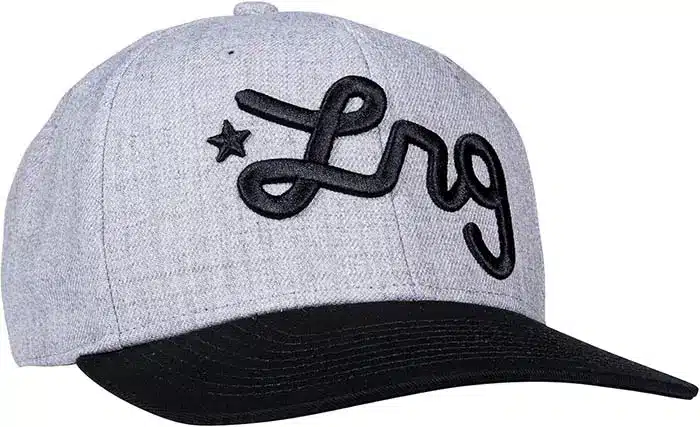
List colors by component, not only by cap name
“Black snapback with a white logo” does not settle the underside, sweatband, seam tape, eyelets, button or snap closure. List the visible component colors and identify which inside details need a specific match. If several versions share a component, use a consistent reference rather than repeating slightly different descriptions.
Screen color is a starting point, not a final physical approval. Pantone explains the value of physical color references when moving from digital work to a product. Agree which reference controls the proposed fabric, thread and plastic components, and review their combination.
Keep the quantity split attached to the design
Give each style and colorway a working code, then record the estimated quantity against it. If artwork changes between versions, list the relevant file beside each code. A collection total can hide a very small quantity for an individual fabric or trim combination.
Ask Wenext Caps to confirm the order conditions for that actual split. Minimum quantities, sample charges, material sourcing and timing should be reviewed for the proposed specification. Do not treat an indicative enquiry quantity as an accepted production commitment.
Return sample comments in one clear revision
Check the first sample against the same brief. Separate accepted details from changes, and give each correction a clear location and instruction. If the crown shape is accepted but the logo needs adjustment, record both facts so an accepted construction is not unintentionally reopened.
Replace outdated attachments in the active brief or mark them superseded. The snapback sampling and bulk-order guide explains the next approval stage. The goal is one current reference package, rather than several email threads containing conflicting instructions.
Frequently asked questions
Can I start without a complete tech pack?
Yes. Start with a main construction reference, artwork, quantities and clearly marked open decisions. Ask which additional information is needed to prepare a meaningful quotation or sample proposal.
Should a mockup show every colorway?
Show the versions where color or artwork changes, and identify any shared details. The colorway list should still state component colors and file revisions so the mockup is not the only instruction.
Does approving the artwork approve the whole cap?
No. Artwork approval concerns the specified graphic. Fit, construction, materials, trims and packing still need their own agreed checks on the appropriate references and samples.
Send your snapback design brief
Review the main snapback cap product page, then send Wenext Caps your brief and references. Include what is fixed, what needs development and the quantity split so the next discussion can address the actual project.