
Personalized snapback caps combine a shared cap design with details that change from one item to the next. Names, numbers, initials or role titles need to stay connected to the correct cap color, artwork and quantity. A clear roster makes that possible from proofing through packing.
Settle the base construction with the Snapback Cap Buying Guide, then prepare one current personalization list for the order.
Give every roster line a stable reference
Use one row for each distinct combination of cap, personalized text and number. Assign a row ID that stays the same through corrections. Keep the base-cap item code, colorway, size if applicable and required quantity on that row.
A hypothetical line might read: row P-014, black cap, name MAYA, number 07, quantity two. The row ID identifies the instruction, while the quantity states how many matching caps are needed. Repeated names should remain distinguishable when they refer to different colors or decoration versions.
Preserve the exact text you want produced
Supply names with the required spelling, capitalization, spaces, punctuation and accents. Use a separate field for numbers and specify whether a leading zero is part of the design. Ask the artwork team to review any characters that need a particular font or treatment.
When preparing the list in Excel, formatting the relevant cells as text before entry can preserve values such as 07. Microsoft explains how to keep leading zeros. Check the exported file and proof as well as the original spreadsheet so a formatting change is caught before approval.
Keep shared branding separate from variable details
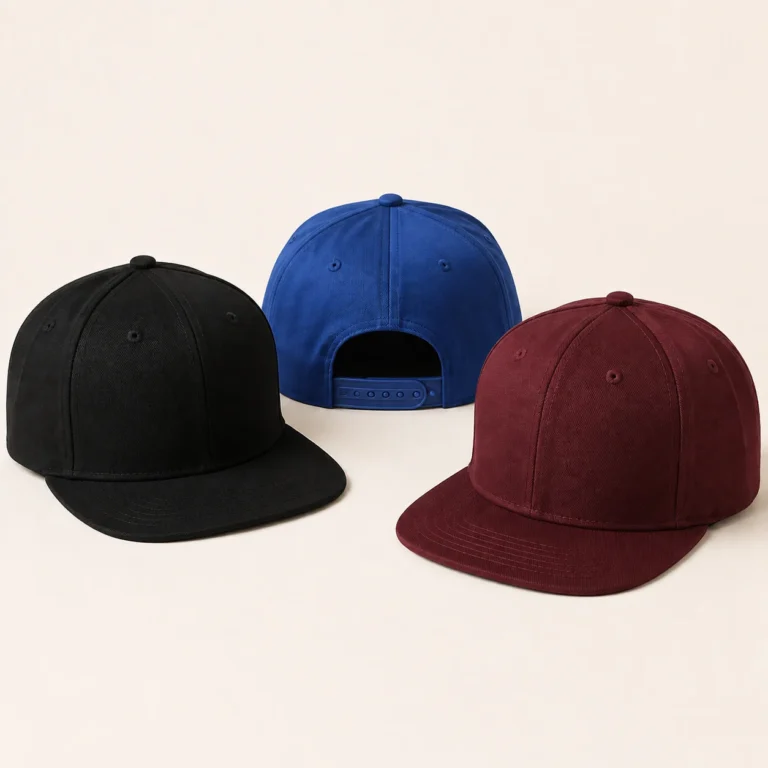
Identify the artwork that stays the same across the order, such as a front team logo. Then show the variable name, number or initials as a separate instruction. Give each placement a finished size and a reference point on the actual cap.
Review rear personalization with the closure and opening in view. A name above the opening and a side number use different spaces and proportions. The snapback closure specification guide helps define the adjustment area before artwork is positioned around it.
Build a roster that the proof can follow
| Field | Purpose |
|---|---|
| Stable row ID | Connect the instruction, proof, corrections and receiving check. |
| Base item | Identify cap style, colorway and size where applicable. |
| Exact name or text | Preserve spelling, case, spaces, punctuation and required characters. |
| Number or initials | Record the exact value, including any intended leading zero. |
| Decoration reference | Show method, color, size and placement for the variable detail. |
| Quantity and group | State matching units and any agreed team, event or distribution group. |
| Proof status | Identify the accepted revision and any row still needing correction. |
Review long and short names before approving the style
Choose representative examples for the proposed lettering: a short name, a longer name and any special characters in the list. Ask how the artwork will handle differences in length while keeping the intended appearance. Record whether the design uses a fixed height, a maximum width or another agreed approach.
For embroidery, assess readability and spacing in a stitch sample at the intended size. The embroidered snapback artwork guide covers lettering, raised areas and placement checks. Keep any change to the personalization style visible in the proof instructions.
Approve the proof by roster reference
Check the base item, exact text, number and placement against each relevant row. Mark a correction with its row ID and the replacement instruction. Where a proof covers a shared layout, make clear which names and numbers still require individual text approval.
After corrections, issue one current list with a revision date. Reconcile the row quantities with the order total and separate accepted rows from open changes. This gives the production team a clear instruction set for the personalized versions.
Plan distribution and receiving with the same IDs
Discuss whether caps should be grouped by team, event, destination or another agreed receiving unit. Keep the packing reference connected to the row or item IDs. A receiving team should be able to check that the correct personalized versions and quantities have arrived.
For additions or replacements, quote the original row ID, cap item and accepted artwork revision, then state the new quantity or correction. Confirm the current order conditions for that request. The wholesale snapback packing guide provides a wider framework for assortment and receiving records.
Common personalization questions
Can two people have the same name on different cap colors?
Yes. Give each distinct combination its own row ID and base-item reference. Keep the quantity for each combination explicit.
How should I request a correction after proofing?
Identify the row ID and proof revision, then provide the exact replacement text or number. Ask which later instructions or approvals the change affects.
Does one sample approve every name in the roster?
A sample can establish the shared lettering treatment and placement. The individual text and numbers still need to be checked against the current list and agreed proof process.
Prepare your personalized snapback enquiry
Review the main snapback cap product page, then send Wenext Caps your roster and cap brief. Include the shared logo, variable placements, quantity split and distribution needs so the sample and quotation can cover the complete order.