
Private-label golf visors need a clear plan for both the visible brand and the details around the inside band. A label that looks right in a flat layout may sit beside a fastening, fold into the sweatband or face the wrong way when the visor is worn. Review the branding on the complete item.
The Sun Visor Buying Guide covers the product brief. This article focuses on label positions, retail information and the presentation released for a private-label visor range.
Map the outside marks and inside information
List the front logo, side or rear marks, inside labels, hangtags and packing identifiers required for the item. Give each application a file reference, method and position. Identify which details change by colour, size or customer.
Use the golf visor design brief to place the main graphic within the available band area. Keep the smaller applications visible in the same brief so they are reviewed as one presentation.
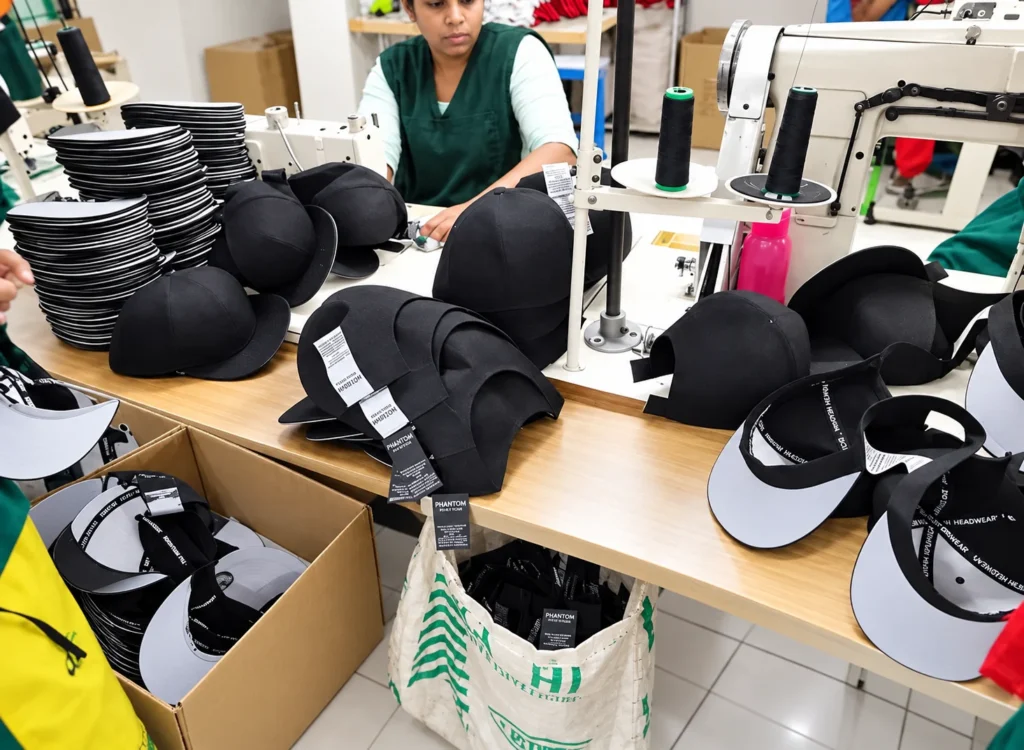
Review labels where the band contacts the wearer
Show inside label positions against the sweatband, side joins and rear fastening. Identify the attachment and intended orientation. Check the label edge and the surrounding finish on the actual sample.
Review the visor at the required closure settings. A position that works in one arrangement may interact differently with a strap end or overlap in another. Include that handling in the label review rather than approving from the label artwork alone.
Connect the label artwork to the right item
Identify who supplies and approves product names, material information, care information and other intended label content. Tie the accepted file to the actual proposed visor and destination. Keep provisional information clearly marked while it is being confirmed.
Where the range contains different materials or fit arrangements, check the applicable information for each item. Retain the accepted label revision with the component and artwork references used for that version.
Separate internal style codes from retail identifiers
A style or artwork reference helps the project team identify a version. The receiving or retail system may also require its own product identifier. Agree which data is needed and who provides it before printed labels are released.
The official GS1 GTIN explanation describes identification of trade items. Where that system is required, use the approved identifiers and product data supplied for the range. Keep them consistent across the relevant retail and packing records.
Check hangtags and packing with the finished visor
Identify the tag position, attachment and intended retail presentation. Review the proposed label, sticker and bag arrangement against the brim and band. Make sure the item can be identified in the way the receiving team expects.
Use the wholesale golf visor assortment guide to connect each complete variation to its quantity and receiving allocation. Check that the packing plan uses the same colour, artwork and size references as the order.
Approve a complete branding set
Keep the decorated sample, inside labels and retail components together for the final presentation review. Mark temporary trims and identify any remaining information approval. Record the accepted features separately from changes still required.
- Finished artwork sizes and positions on the visor.
- Inside label content, orientation and attachment.
- Approved identifiers and item descriptions.
- Hangtag and packing presentation.
- File revisions applicable to each variation.
Retain the references for a repeat order
Identify the previously accepted presentation and any changed logo, product information or retail data. Review the affected applications and ask for an updated confirmation where a component or layout changes.
Discuss the proposed item through the Wenext sun visor product page. Send the branding map, label files and item breakdown through Contact Wenext Caps.