
Team fitted caps need an accurate size roster as well as an approved team design. The organizer must know which cap belongs to each wearer, which kit version it matches and how replacements or spare caps will be identified.
Start with the Fitted Cap Sizing and Buying Guide to establish the fixed-size system. Then connect the wearer list, artwork versions and packing instructions before approving the team order.
Define the team use and kit versions
State the intended use and any requirements supplied by the team or event organizer. Separate home, away, travel or other design versions where they differ. Give each version an item reference rather than relying on similar color names.
Review crown shape, visor profile, fabric and sweatband with that use in mind. If a performance characteristic is part of the brief, identify the evidence and approval criteria it needs. Keep the requested result distinguishable from an unverified product claim.
Build the size roster from the approved system
Use a stable row reference for each wearer or allocation group. Record the exact cap size, kit version and quantity. Include only the information needed to assign the goods, and keep coaches, staff and spare caps distinguishable where their requirements differ.
Agree the measurement and sample-fit review before the roster is finalized. The fitted cap wearer-trial guide helps organize specific feedback about depth, position and contact points on the actual sample.
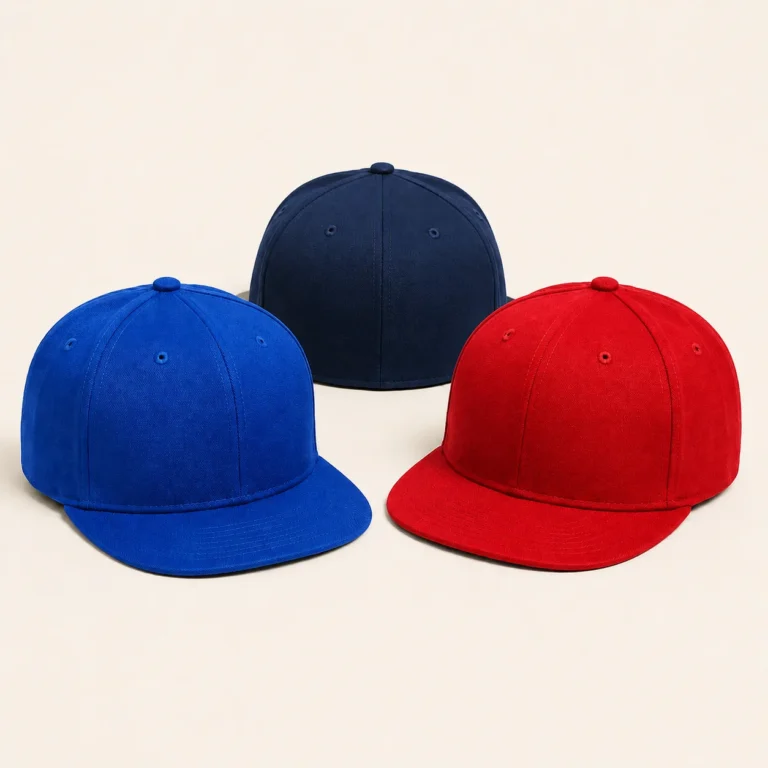
Keep names and numbers exactly as approved
If the design includes individual names or numbers, put those fields on the same roster row as the size and kit version. Preserve spelling, capitalization, accents and leading zeros. Have the responsible team reviewer check the exact text before it is used in proofs.
For example, the identifier “07” should remain “07” if that is the approved number. Microsoft’s Excel guidance explains applying Text format before entering or pasting values to preserve leading zeros. Check the exported or shared file as well as the original sheet.
Approve the team logo against each kit background
Provide clean artwork with finished dimensions, placement and color references. Review the graphic on the intended fabric and panel construction. A logo accepted on one color may need a separate thread or patch combination on another kit version.
Keep the shared team artwork separate from personalized details. Where names or numbers vary, review a proof method that makes each assignment clear. Use the custom fitted design brief to organize the common product and decoration references.
Use a team-order approval register
| Record | What the team should approve |
|---|---|
| Roster reference | Stable row ID for the wearer, staff allocation or spare group. |
| Size | Exact label from the approved size system and fit-review status. |
| Kit version | Home, away or other item reference and approved colorway. |
| Personalization | Exact name or number where requested, with its proof reference. |
| Quantity | Units for each assignment and a separate spare-cap allocation. |
| Packing | Individual or group references needed for team distribution. |
| Approval | Roster revision, design revision, reviewer and open questions. |
Review the size set before freezing the roster
Agree which sizes and wearers will be included in the sample review. Record the outcome for the actual sizes checked and identify any further review needed. If a fit change affects the specification, update the relevant size references before treating the roster as final.
Reconcile the final wearer rows with totals by item and size. The fitted assortment guide helps convert individual assignments into an order and carton breakdown.
Make distribution and repeat orders manageable
State how packed caps should be identified for the team. A clear roster or group reference can help the organizer distribute the right kit and size without reopening every approval file. Keep spare caps listed as their own allocation.
For additions or replacements, identify the original product, artwork and roster revisions, then state the new quantity or assignment. Confirm current materials, order conditions and timing. A saved design does not by itself confirm that a later top-up can follow the original schedule.
Common team fitted-cap questions
Can one cap size be assigned to the whole team?
Use the approved size system and relevant fit information to assign the actual roster. Keep unconfirmed sizes visible until reviewed.
Should spare caps be hidden within the player quantities?
List them separately by item and size so the order total and later distribution remain clear.
What if a player number changes after approval?
Identify the affected roster row and proof revision, then confirm the impact on work already completed before accepting the change.
Prepare a team fitted-cap brief
Review the fitted cap product page, then send Wenext Caps your team design and size breakdown. Include kit versions, artwork, allocation quantities and any event date that needs a feasibility review.